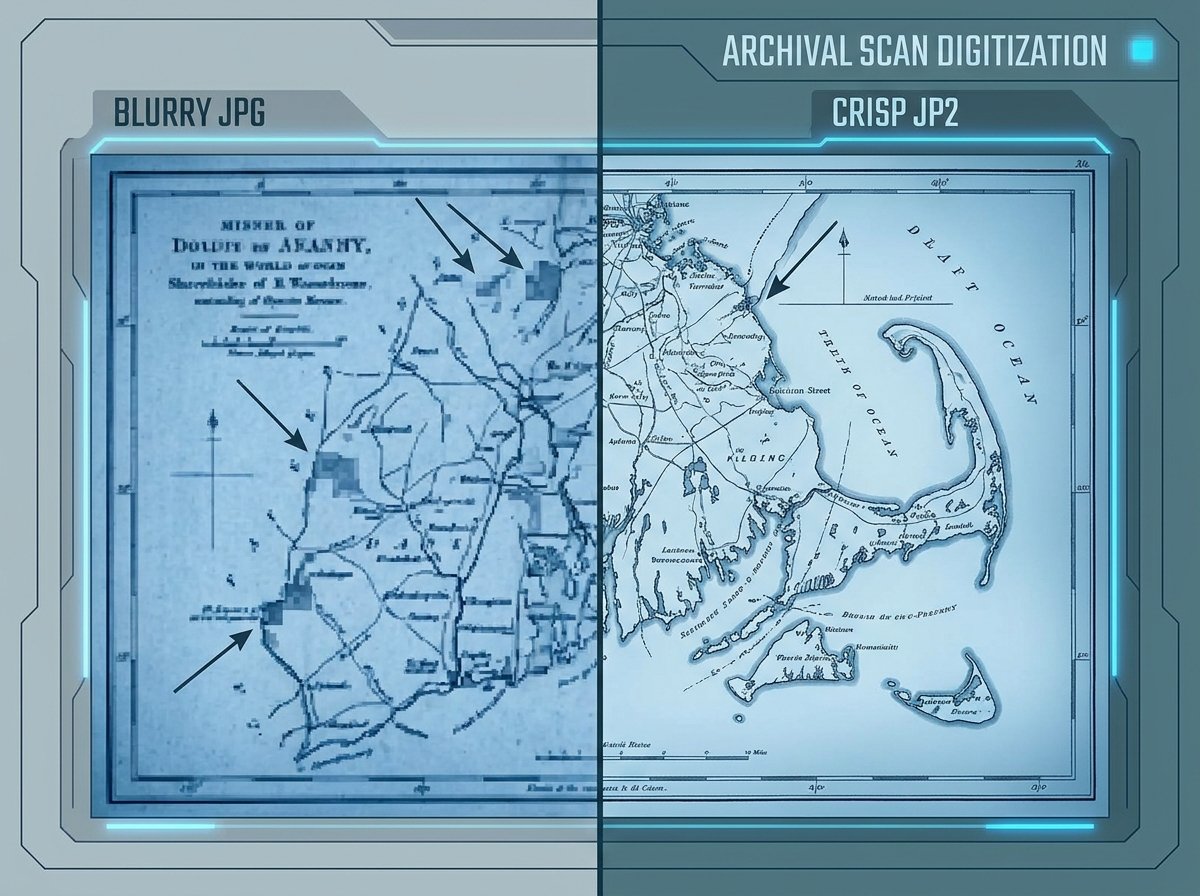
Image to JP2 (JPEG 2000) Converter Guide
JP2 never became the mainstream JPG replacement it was designed to be, but it didn't disappear either — it just found a home in fields where image fidelity and archival stability matter more than universal browser support. If a digital archive, medical system, or cinema workflow is asking you for a JP2 file, here's what you need to know before converting.
What Is a JP2 File?
JP2 is the file extension for JPEG 2000, an image compression standard released in 2000 as a successor to the original JPEG format. Unlike JPG's DCT-based compression, JPEG 2000 uses wavelet-based compression, which produces noticeably fewer compression artifacts at high compression ratios and supports both lossy and fully lossless modes in the same format.
JPEG 2000 also supports much higher bit depths, larger maximum image dimensions, and progressive decoding — meaning a viewer can render a lower-resolution preview of the image while the rest of the data streams in, which is part of why it's popular in large-scale archival and geospatial imaging.
Why JP2 Is Still Used Despite Limited Browser Support
- Digital archives and libraries. Institutions like national libraries and museums use JP2 as a preservation format because it supports lossless compression at manageable file sizes for extremely high-resolution scans.
- Medical imaging (DICOM). JPEG 2000 compression is part of the DICOM standard used for medical scans, where preserving diagnostic detail while managing file size is critical.
- Digital cinema. The DCI (Digital Cinema Initiatives) standard for movie projection files is built on JPEG 2000, used in nearly all commercial digital cinema packages.
- Geospatial and satellite imagery. GIS systems use JP2's ability to handle enormous image dimensions and progressive loading for satellite and aerial imagery.
How to Convert an Image to JP2 Online
Since most consumer software has poor or no native JP2 support, an online image to JP2 converter is usually the fastest route:
- Upload your source image (PNG, JPG, or TIFF all work well as inputs).
- Select JP2 as the output format.
- Convert the file.
- Download the .jp2 file for use in your archival system, DICOM workflow, or specialized software.
If you need lossless compression specifically (common for archival or medical use), check whether your converter offers that as an explicit option, since JP2 supports both lossy and lossless modes and the default is not always lossless.
JP2 vs. JPG: Key Differences
| Feature | JPG | JP2 |
|---|---|---|
| Compression method | DCT-based | Wavelet-based |
| Lossless mode | Not supported | Supported |
| Compression artifacts | Blocky at high compression | Smoother degradation |
| Browser support | Universal | Very limited (mainly Safari) |
| Max bit depth | 8-bit typically | Up to 16-bit+ per channel |
Common Issues When Converting to JP2
- File won't open in a standard browser. This is expected — outside of Safari, most browsers don't render JP2 natively. Use dedicated viewer software or your target application instead.
- Confusing lossy and lossless settings. If your archival or medical use case requires zero data loss, double-check the compression settings rather than assuming the default is lossless.
- Large file processing time. Because JP2 is often used for very high-resolution scans, converting large source files can take noticeably longer than a standard JPG conversion.
Frequently Asked Questions
Why doesn't JP2 open in my browser?
Most major browsers, including Chrome and Firefox, never added native JPEG 2000 support. Safari is the main exception. For general viewing, you'll typically need dedicated image software or a converter to view it as PNG/JPG.
Is JP2 better quality than JPG?
At equivalent file sizes, JP2 generally produces fewer visible compression artifacts than JPG, thanks to its wavelet-based compression. JP2 also supports fully lossless compression, which standard JPG does not.
Do hospitals really use JP2 for medical images?
Yes. JPEG 2000 compression is part of the DICOM standard used throughout medical imaging, precisely because it can compress large scans significantly while preserving diagnostic-quality detail.
Can I convert a JP2 file back to JPG or PNG?
Yes, most converters that support JP2 as an output also support it as an input, so you can convert in either direction as needed.
Is converting images to JP2 free?
Yes — online tools like the one on hashamismm.online let you convert to JP2 for free without installing specialized imaging software.
Convert Your Image to JP2
Whether you're preparing files for a digital archive, a DICOM-compliant system, or a cinema package, you can convert directly in the browser. Use the free online image to JP2 converter to generate your file in seconds.